


Version history of uploaded files for DataLife Engine
Краткое описание
The module turns a regular additional field of the 'Downloadable file' type into a full-fledged file and version management system.
Полное описание
How the module works
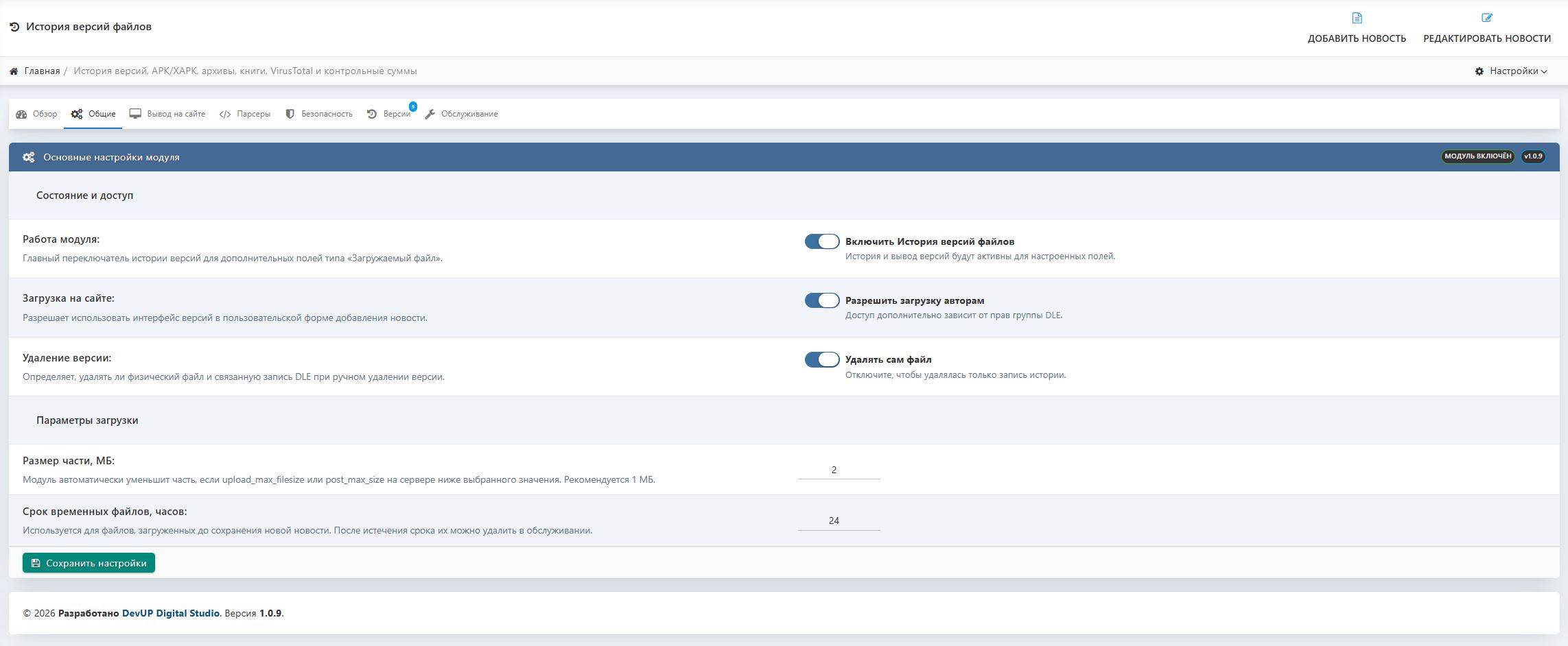
You create a regular extra field in DLE with the type «Downloadable file», then enable support for the history of uploaded versions.
When adding or editing a news item, you can:
- upload a new file;
- specify the version number manually;
- add a version name;
- select the file status;
- write a changelog;
- save previous versions;
- set any uploaded version as the main one;
- re-parse the file;
- check the file via VirusTotal;
- check the digital signature of an Android app.
If an APK, APKS, XAPK or APKM is uploaded, the module will automatically try to obtain technical information directly from the file.
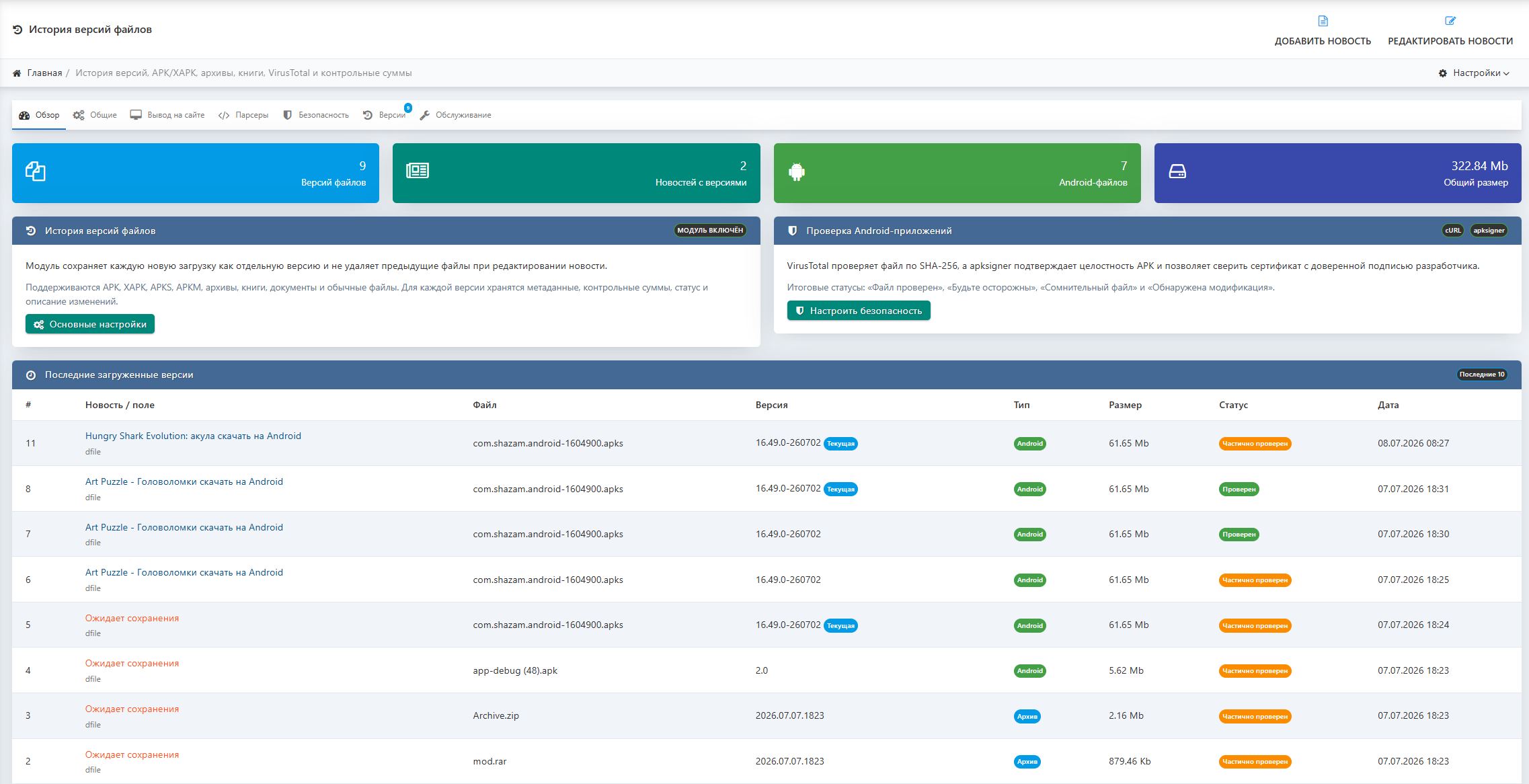
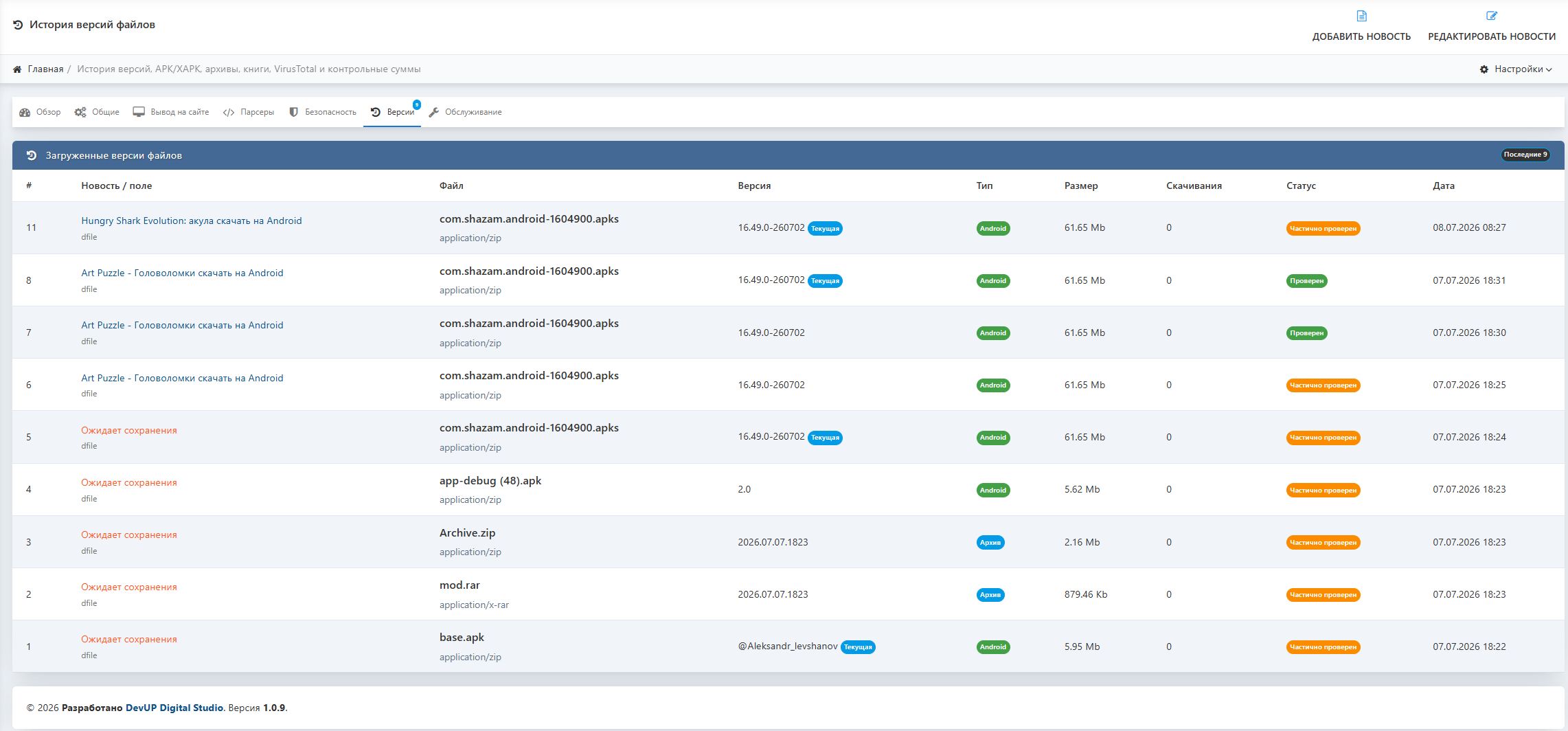
Version history
For example, on the app page you can display:
- Test APP 1.1;
- Test APP 1.0;
- Test APP 0.9;
- old and test builds.
For each version, the following are saved separately:
- file;
- version number;
- name;
- size;
- upload date;
- upload author;
- download count;
- status;
- change log;
- technical specifications;
- checksums;
- security check result.
The administrator can determine which version will be considered current without deleting the other files.
Working with Android applications
The module supports popular Android formats:
- APK;
- XAPK;
- APKS;
- APKM.
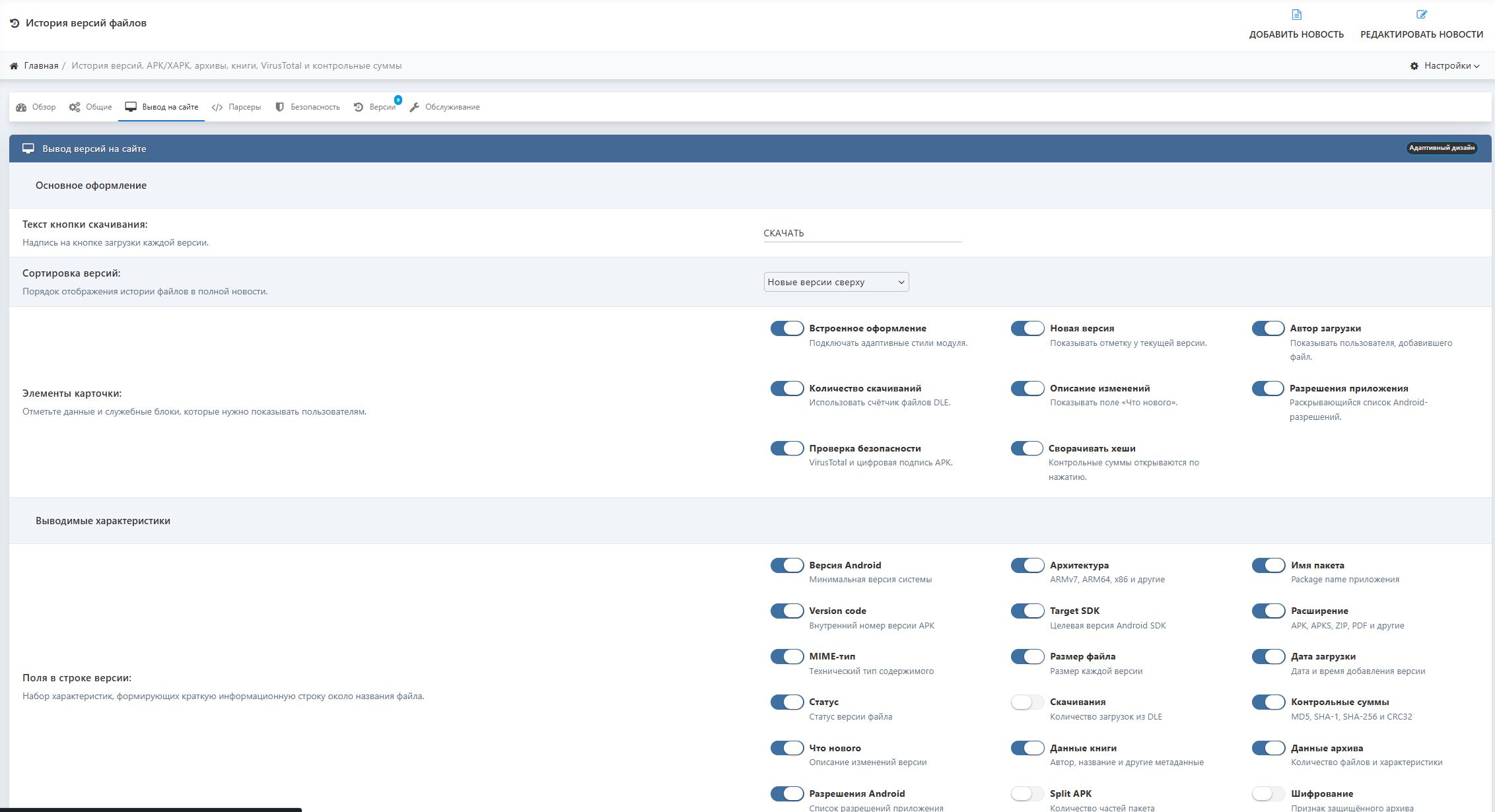
When uploading an Android application, the module can automatically determine:
- application name;
- package name;
- versionName;
- versionCode;
- minimum Android version;
- Target SDK;
- supported architectures;
- ARM;
- ARMv7;
- ARM64;
- x86;
- x86_64;
- MIME type;
- number of files inside the build;
- list of application permissions.
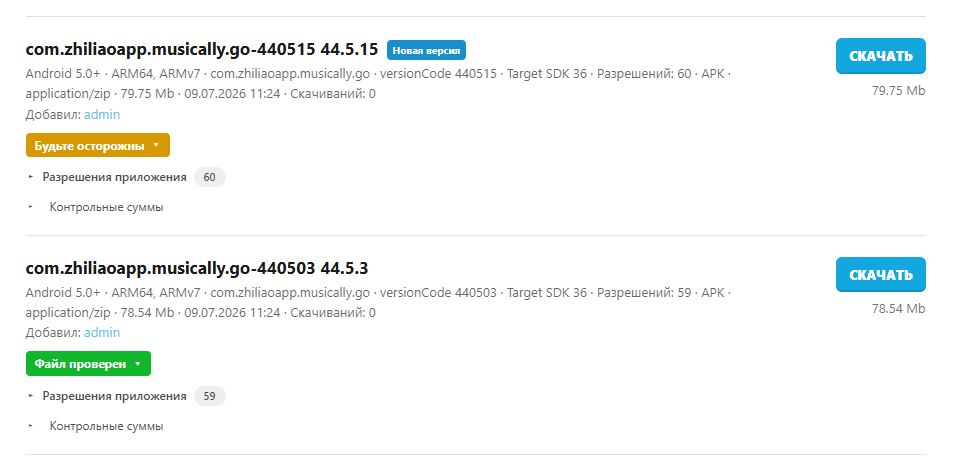
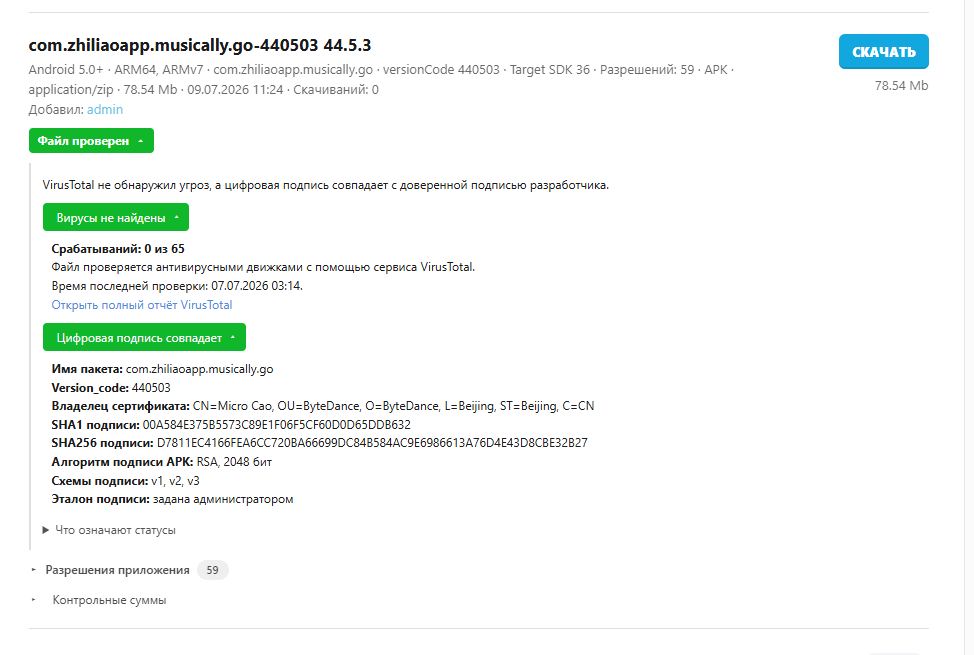
As a result, the visitor will immediately see a clear string, for example:
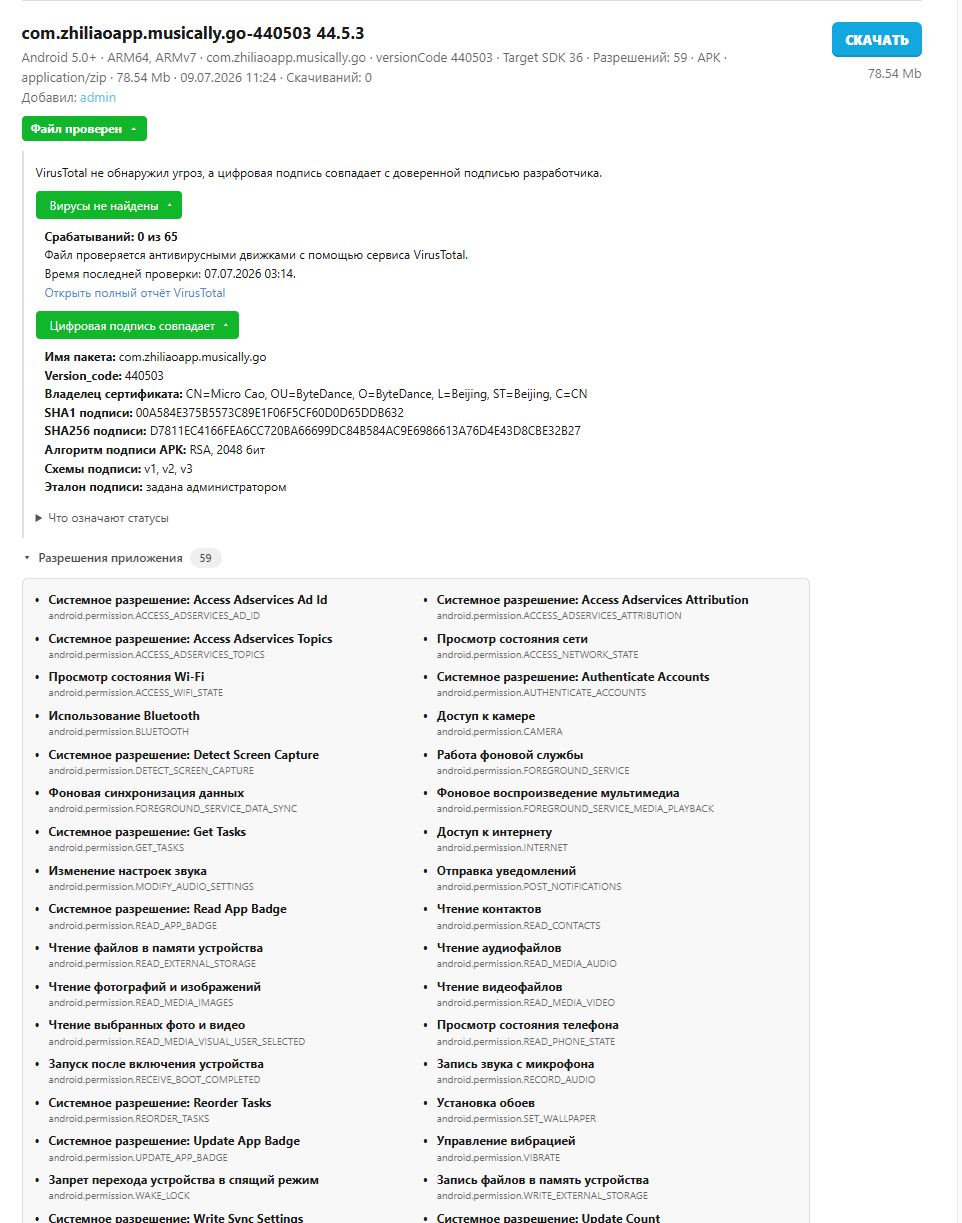
Android 11+ · ARM64 · com.test.app · versionCode 1604900 · Target SDK 36You don't have to enter the app version manually — with a correct APK, the module gets it directly from the file.
App Permissions
For Android files in the full news, an expandable section «App Permissions» is displayed.
In it, the visitor can see which device functions the app requests access to:
- camera;
- microphone;
- precise location;
- files and storage;
- contacts;
- notifications;
- Bluetooth;
- internet;
- background work;
- other system permissions.
Popular permissions are displayed in understandable English. Their technical Android name is preserved alongside.
VirusTotal Check
The module can check uploaded files via the VirusTotal service.
For each version, the following are displayed:
- number of antivirus engines;
- number of detections;
- date of last check;
- analysis status;
- list of detected threats;
- link to the full VirusTotal report.
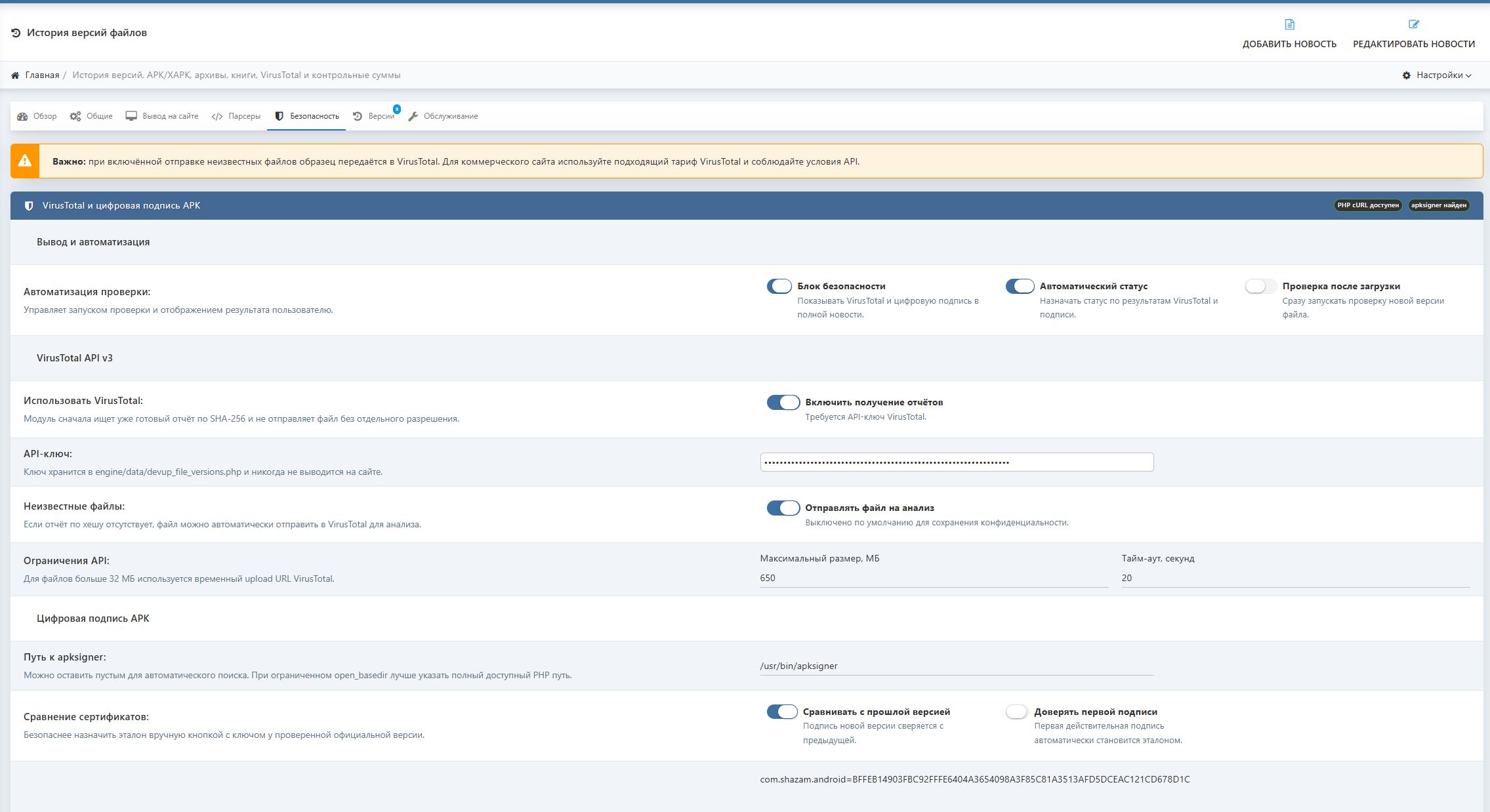
If a ready report does not exist yet, the module can send the file for analysis. This feature is enabled separately in the settings.
The check is suitable not only for APK files but also for regular archives, programs, and other uploaded files.
APK digital signature verification
For Android applications, digital signature verification is provided via the apksigner utility.
The module can determine:
- whether the APK passes integrity verification;
- whether the file was modified after signing;
- SHA-1 of the certificate;
- SHA-256 of the certificate;
- certificate owner;
- key algorithm;
- key size;
- APK signature schemes v1, v2, v3, and v4;
- whether a debug certificate is used;
- whether the certificate matches the developer's trusted signature.
The administrator can upload the official version of the application and designate its certificate as trusted. All subsequent versions with the same package name will be automatically compared against this certificate.
This helps to notice when the application file has been re-signed by another person or modified by a third-party developer.
Security statuses
In the full news article, a colored expandable status is displayed.
File verified
VirusTotal did not detect any threats, the APK passes verification, and the digital signature matches the developer's trusted signature.
Be cautious
Verification is not yet complete, no VirusTotal report, apksigner is not configured, or a trusted certificate has not been assigned to the application.
Suspicious file
Antiviruses have detected suspicious activity or the digital signature differs from the official developer signature.
Modification detected
The APK fails integrity check, the signature is damaged, or an unreliable debug certificate is used.
Each status can be expanded to view detailed information.
Checksums
For any uploaded file, the module can calculate and display:
- MD5;
- SHA-1;
- SHA-256;
- CRC32.
Checksums help the user ensure that the file was downloaded without corruption and has not been modified after publication.
The section is displayed as a collapsible list and does not take up extra space on the page.
Regular files, archives, and books
The module is not limited to Android applications. It can be used for any downloadable materials:
- ZIP;
- RAR;
- 7Z;
- TAR;
- GZ;
- ISO;
- EXE;
- PDF;
- EPUB;
- FB2;
- MOBI;
- CBZ;
- CBR;
- documents;
- templates;
- plugins;
- music files;
- videos;
- backup copies;
- any other formats.
For a regular file, you can manually specify the version, name, and description of changes. Checksums and general information will be generated automatically.
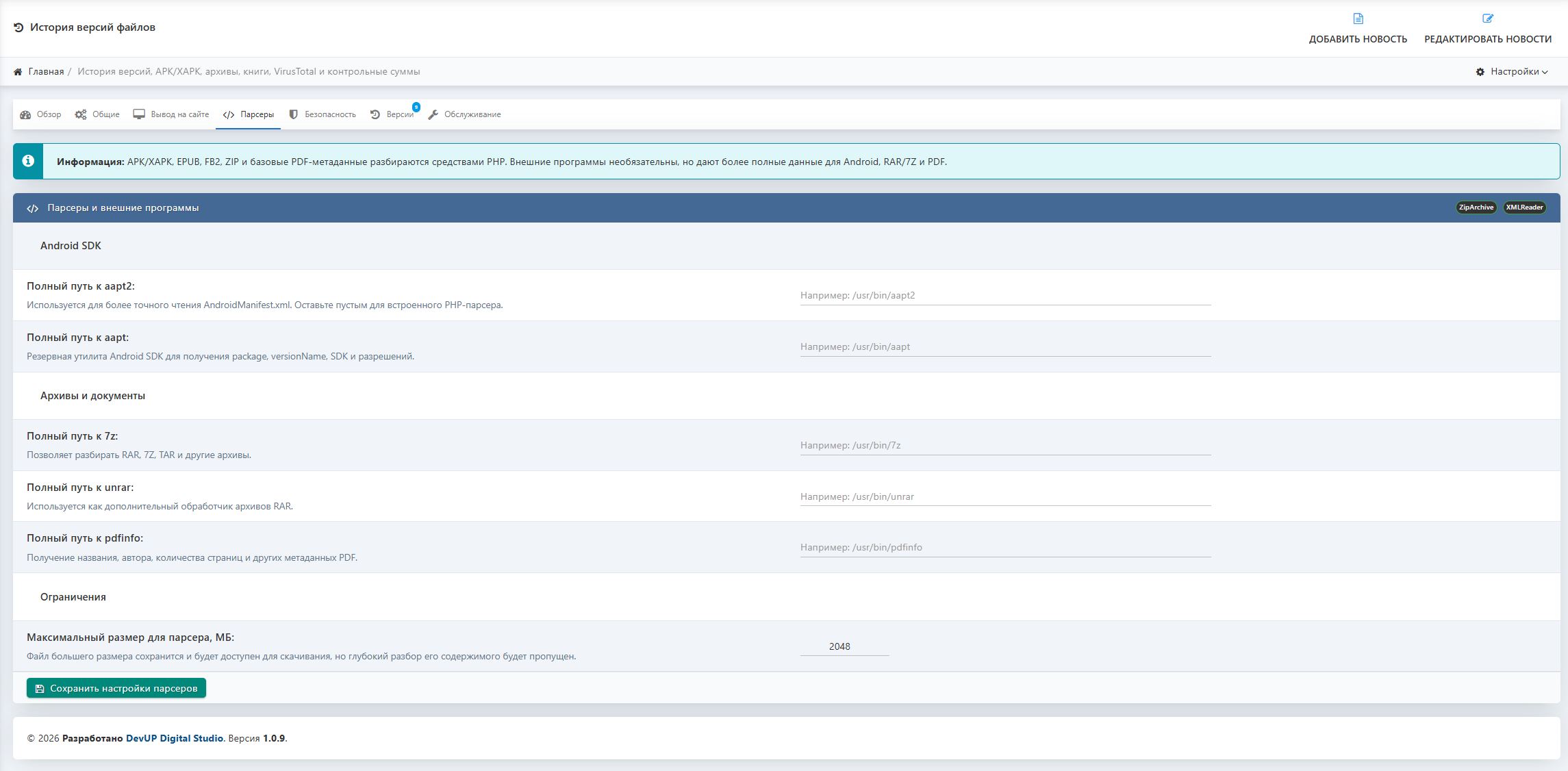
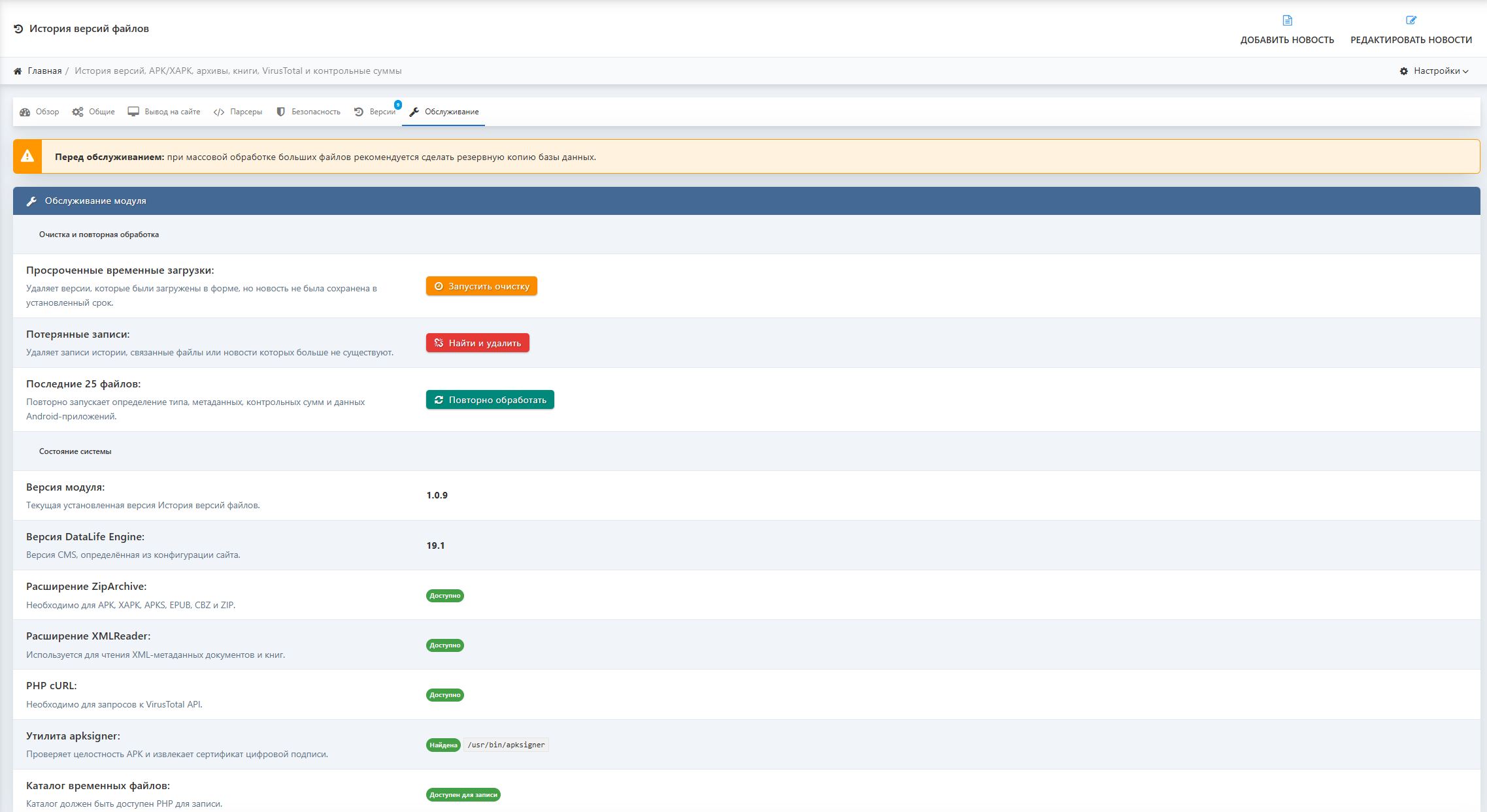
Скриншоты
Видео
Комментарии (0)
Пока нет комментариев. Будьте первым!
Чтобы оставить комментарий, войдите через Telegram